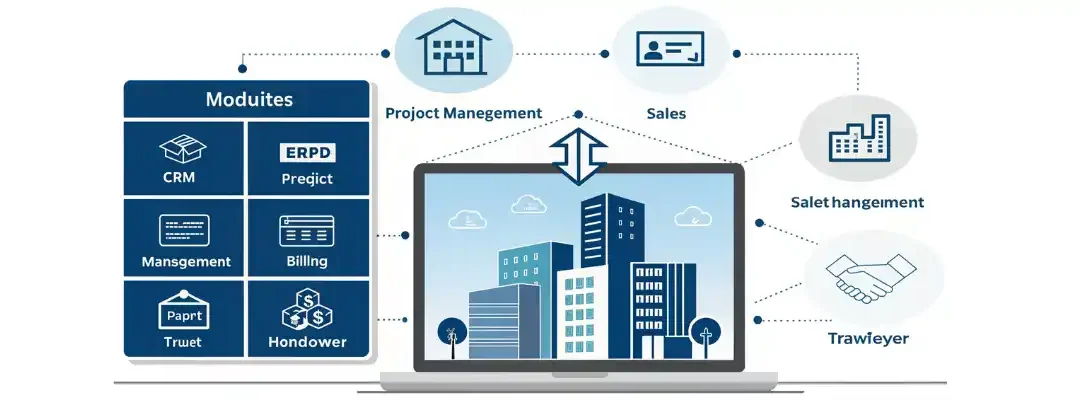
Real estate developers operate in long-cycle, capital-intensive, multi-stakeholder environments. From land acquisition and approvals to marketing, sales, construction tracking, billing, handover, and post-sales service — every stage must be synchronized.
Real estate companies must manage:
Land acquisition & approvals
Project planning & phase management
Marketing & lead generation
CRM & sales pipeline
Unit inventory (flats, plots, villas)
Booking & allocation
Construction progress tracking
Customer billing & collections
Legal documents & compliance
Handover & post-sales support
Without a centralized system, developers face lead leakage, inventory confusion, delayed payments, poor customer experience, and cash-flow mismatch. A dedicated Real Estate ERP connects CRM, sales, projects, construction progress, billing, finance, and customer service into one unified platform — ensuring higher conversions, faster collections, and smoother handovers.
Why Real Estate Developers Need ERP
Common challenges without ERP:
Weak CRM → lost leads & low conversion
No real-time visibility of unit availability
Delayed payment follow-ups
Poor coordination between sales & construction
Spreadsheet-driven errors
Slow agreement & document processing
Cash-flow imbalance
Poor customer communication
Delayed handover & snag resolution
Real Estate ERP provides control, transparency, automation, and trust across the entire customer lifecycle.
Construction and contracting businesses operate in complex, multi-site, capital-intensive environments. Every project involves tight coordination between site teams, contractors, materials, machinery, finance, and compliance — often spread across remote locations.
Construction companies must manage:
BOQ (Bill of Quantities) & estimation
Tendering & project planning
Material procurement & site delivery
Labour & subcontractor management
Site execution & daily progress tracking
Machinery & equipment utilization
RA bills, subcontractor bills & client billing
Multi-site cost control
Quality, safety & statutory compliance
Without a centralized system, companies face cost overruns, delays, wastage, billing disputes, and weak project visibility. A robust Construction ERP connects site, office, materials, labour, machinery, and finance into one unified platform ensuring projects are delivered on time, within budget, and profitably.
Why Construction Companies Need ERP
Common challenges without ERP:
Cost overruns due to poor planning
Inaccurate BOQ tracking
Material wastage & pilferage
Labour productivity not measured
Delayed or incorrect RA bills
Weak subcontractor control
Manual DPRs with no real-time visibility
Compliance & documentation delays
No cost vs progress comparison
Construction ERP provides real-time control, accountability, and transparency across every project stage.
ERP for Construction & Contractors — Full 2026 Scope
Hospitals and healthcare institutions operate in one of the most data-intensive, compliance-driven, and mission-critical environments. Every second, systems must support patient safety, clinical accuracy, operational efficiency, and financial transparency.
Healthcare organizations must manage:
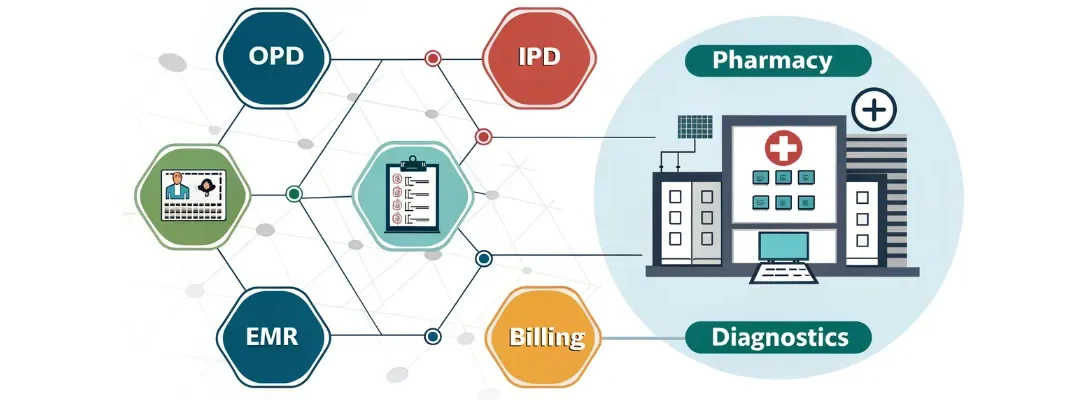
When handled through manual registers or disconnected software, hospitals face delays, errors, revenue leakage, and patient dissatisfaction. A fully integrated Healthcare ERP + HMS (Hospital Management System) connects clinical, administrative, and financial operations into one intelligent digital platform.
Why Hospitals Need ERP + HMS
Common challenges without ERP:
Manual patient documentation errors
Long OPD waiting queues
Slow IPD discharge & billing
Medication & prescription errors
No centralized patient history
Pharmacy stock shortages & expiry loss
Delayed lab & radiology reports
OT scheduling conflicts
Insurance & TPA claim delays
Compliance and data security risks
A Healthcare ERP eliminates these issues through automation, integration, and real-time visibility.
ERP for Hospitals & Healthcare — Full 2026 Scope
Healthcare ERP integrates:
OPD & IPD management
EMR / EHR
Appointment scheduling
Pharmacy & drug management
Laboratory (LIS) & radiology (RIS)
Billing & financials
Insurance & TPA claims
Operation Theatre (OT)
Nursing & clinical workflows
Inventory & procurement
Patient portal & communication
Ideal for:
Multi-specialty hospitals
Clinics & polyclinics
Diagnostic centers
Nursing homes
Day-care hospitals
Specialty hospitals (cardiac, ortho, eye, dental)
Key Features of Healthcare ERP / HMS (2026 Edition)
Educational institutions today operate in a highly dynamic academic and administrative environment. Schools, colleges, universities, and training institutes must manage thousands of daily activities involving students, teachers, parents, and regulators.
Key responsibilities include:
Admissions & enrollment
Fee collection & financial transparency
Attendance & timetable scheduling
Examination & evaluation
Academic performance tracking
Hostel & transport operations
Faculty HR & payroll
Parent communication
Compliance, accreditation & reporting
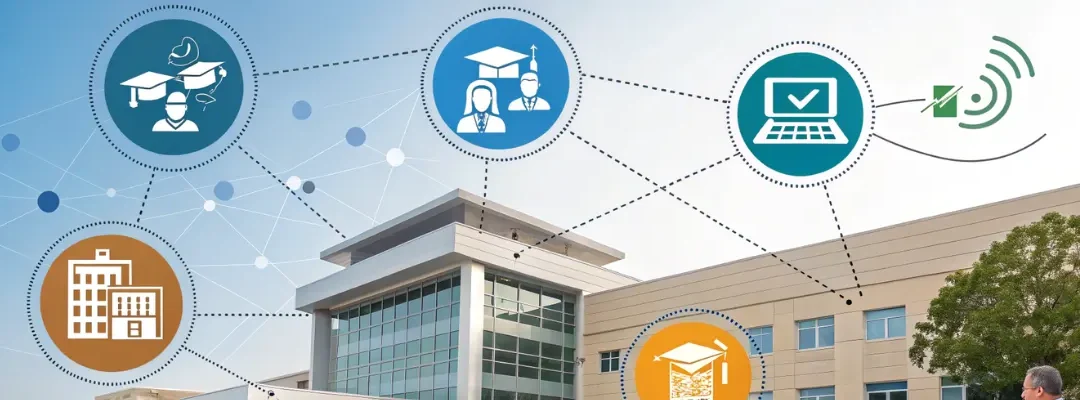
When these processes rely on manual systems or disconnected software, institutions face delays, errors, dissatisfaction, and operational overload. A modern Education ERP unifies academics, administration, finance, and communication into a single digital ecosystem, ensuring efficiency, transparency, and scalability.
Why Educational Institutions Need ERP
Common challenges faced without ERP:
Long queues for admissions & fee payments
Manual attendance errors
Difficulty managing online + offline classes
Delays in exam results & report cards
Poor parent-teacher communication
Fragmented student records
Heavy administrative paperwork
Lack of performance visibility
Compliance and audit stress
An Education ERP eliminates these issues through automation, centralized data, and real-time access.
ERP for Education & Academic Institutions — Full 2026 Scope
Pharmaceutical distribution is one of the most tightly regulated and risk-sensitive supply chains in the world. Distributors, super stockists, and C&F agents handle thousands of SKUs daily, each governed by strict rules around:
Batch numbers
Expiry dates
MRP compliance
GST & HSN codes
Temperature-sensitive storage
Near-expiry risk
Returns & replacements
Regulatory audits
Even a single error—expired stock, wrong batch, cold-chain failure, or GST mismatch—can result in financial loss, regulatory penalties, or patient safety risks. A Pharmaceutical Distribution ERP automates and controls every stage of operations—from purchase to billing to compliance—ensuring accuracy, safety, and profitability.
Why Pharma Distributors Need ERP
Common operational problems in pharma distribution:
Manual batch & expiry tracking
Expired or near-expiry dead stock
wrong batch dispatched to retailers
Cold chain temperature violations
High return-to-vendor (RTV) volumes
Incorrect MRP, HSN or GST in invoices
Complex scheme & bonus miscalculations
Poor stock visibility across godowns
Delayed billing & collections
Audit pressure from drug authorities
A pharma-specific ERP eliminates these risks through rule-based automation and real-time controls.
ERP for Pharmaceutical Distribution — Full 2026 Scope
A Pharma Distribution ERP integrates:
Batch & expiry management
FEFO-based inventory control
Cold chain monitoring
Purchase, GRN & RTV
Wholesale billing & schemes
Warehouse & multi-location stock
Compliance & traceability
GST & HSN automation
Route delivery & logistics
Credit control & collections
Ideal for:
Pharmaceutical wholesalers
Stockists & super stockists
C&F (Carrying & Forwarding) agents
Hospital & institutional suppliers
Medical device distributors
Ayurvedic & herbal medicine distributors
Key Features of Pharma Distribution ERP (2026 Edition)
1. Batch, Expiry & MRP Management
ERP enforces:
Batch-wise inventory tracking
Expiry-first (FEFO) picking
Near-expiry alerts
Auto-blocking of expired stock
MRP validation during billing
Prevents expired or illegal stock dispatch.
2. Cold Chain Monitoring & Compliance
Supports:
Temperature & humidity logs
IoT sensor integration
Real-time alerts (SMS / app / email)
Cold room, freezer & reefer vehicle monitoring
Cold chain audit reports
Essential for vaccines, insulin, biologics & injectables.
The printing and publishing industry operates in a highly customized, deadline-driven environment, where even a small error in artwork, plate version, paper size, or finishing can lead to costly reprints and customer dissatisfaction.
Whether you run a commercial printing press, publishing house, packaging printer, or digital print studio, your operations involve:
Prepress design & artwork approvals
Plate-making & color proofing
Offset & digital printing
Paper, ink & consumables management
Binding, lamination & finishing
Job-wise costing & estimation
Inventory control for paper & chemicals
Strict delivery schedules
Reprints & version control
Traditional manual systems and spreadsheets cannot handle the complexity, speed, and accuracy modern printing businesses demand. A dedicated Printing & Publishing ERP automates the entire workflow — from customer order to final delivery — with complete control over costing, quality, production visibility, and profitability.
Why Printing & Publishing Companies Need ERP
Common challenges faced by printing businesses:
Frequent artwork revisions not tracked properly
Wrong plate or artwork version used in production
High paper wastage during makeready
No control over ink & chemical consumption
Poor scheduling of print jobs
Binding & finishing delays
Inaccurate job quotations
Manual proofing delays customer approvals
Missed delivery deadlines
Reprints eroding margins
A Printing ERP brings discipline, accuracy, and speed to fast-moving print operations.
Key Features of Printing & Publishing ERP (2026 Edition)
1. Job Order Management & Artwork Approval
ERP manages the complete job lifecycle:
Customer job order creation
Artwork upload (PDF, AI, CDR)
Proof generation & approval
Artwork version control
Job specification sheet
CMYK / Pantone color mapping
Eliminates reprints due to wrong artwork usage.
2. Prepress & Plate-Making Control
Tracks:
Plate exposure (CTP / CTCP)
Plate size & material
Registration & color bars
Plate reuse history
Scrap plate tracking
Version mismatch alerts
Ensures the right plate is always used.
3. Paper Inventory, GSM & Size Management
ERP tracks:
Paper reels & sheets
GSM, thickness & grain direction
Coated / uncoated / specialty papers
Sheet size & cut sizes
FEFO / FIFO stock rotation
Reduces paper wastage and shortages.
4. Printing Operations (Offset & Digital)
Offset Printing Control
Machine speed & impressions
Makeready time & wastage
Ink key & color matching
On-press QC checks
Digital Printing Control
Print count
Toner/ink usage
Calibration logs
Variable data printing
Real-time production dashboards for supervisors.
5. Ink, Solvent & Chemical Management
ERP monitors:
Ink consumption per job
Pantone & CMYK ink mixing
Solvent & chemical usage
Reorder alerts
Batch-wise costing
Controls consumable cost & leakage.
6. Binding, Lamination & Finishing Workflow
Tracks all finishing processes:
Folding
Cutting & trimming
Perfect binding
Saddle stitching
Lamination (gloss/matte)
Spot UV
Foiling & embossing
Die-cutting
Ensures finishing does not delay delivery.
7. Job Costing & Estimation Engine
ERP automatically calculates:
Paper cost
Ink & chemical cost
Plate cost
Machine running time
Labour hours
Finishing & outsourcing cost
Overheads
Accurate quotations = higher margins + fewer disputes.
8. Delivery, Dispatch & Reprint Management
ERP handles:
Packing & labeling
Carton & bundle list
Delivery challans
Dispatch scheduling
Customer acknowledgment
Reprint triggers (damage, error, short supply)
Improves on-time delivery performance.
9. Customer Communication & CRM
Includes:
Proof approval timelines
Automated reminders
Order & reprint history
Customer pricing rules
Repeat job tracking
Strengthens long-term client relationships.
End-to-End Printing ERP Workflow
Customer Order & Artwork Intake Job order → Design upload → Specification entry
Artwork Proofing & Approval Digital proof → Customer approval → Lock version
Prepress & Plate Production Color proof → Plate exposure → QC